For Law Firms, Paralegals & Litigation Support

Export Case Emails to PDF Without Breaching Confidentiality

Build chronological case files and manage e-discovery without ever leaving your inbox. M2pdf is built directly into the native Gmail UI and processes everything locally, ensuring sensitive legal communications never touch a third-party server.

4.2/5 Webstore Rating | Trusted by Legal Professionals
Integrated directly into Gmail
100% Local processing
Embeds original attachments
Built for Legal Workflows

Stop relying on web converters that expose your firm to data leaks. M2pdf is built strictly for compliance, speed, and accuracy.

Lawyers: Total Compliance

Protect attorney-client privilege. Because M2pdf runs locally, you can convert highly sensitive settlement discussions without uploading them to unauthorized cloud storage.

Paralegals: Clean Case Files

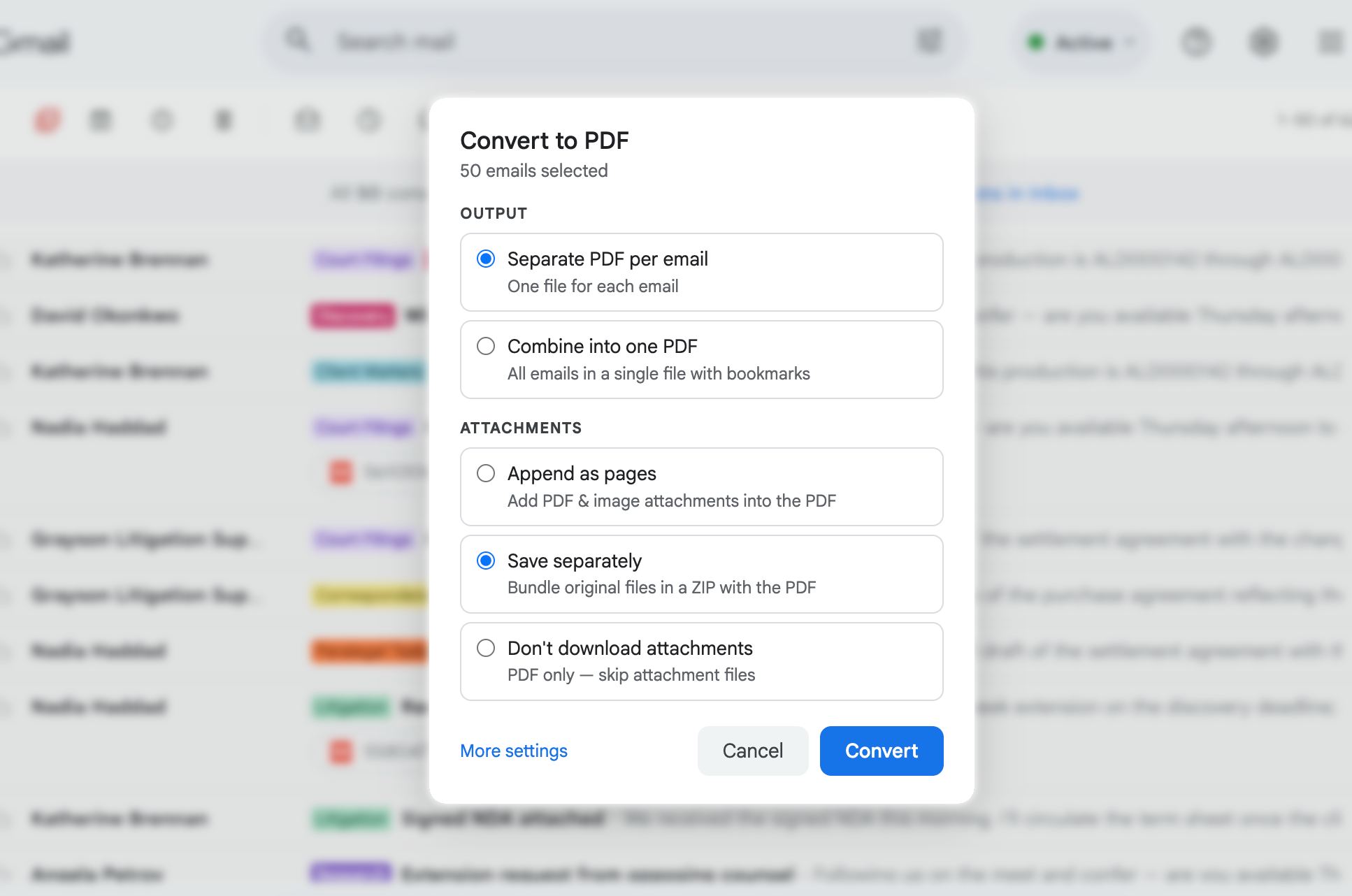
Stop saving individual emails one at a time. Batch export entire correspondence labels. M2pdf automatically extracts and saves the original email attachments alongside the PDF.

E-Discovery Batching

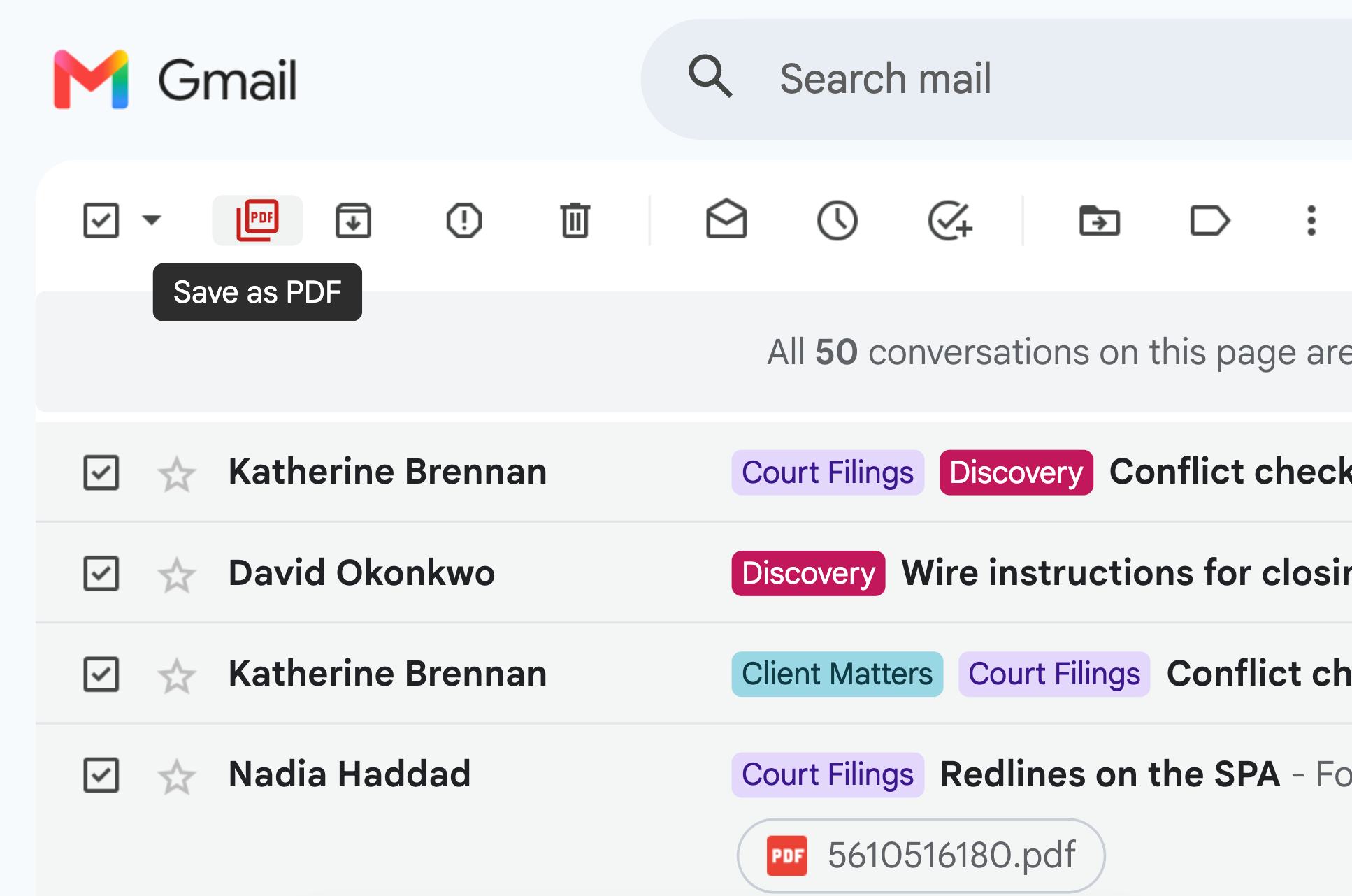
Run a Gmail search for a specific case number, select up to 100 emails at once, and export them into a text-searchable, chronologically organized batch in seconds.

Why Cloud Converters Introduce Risk

Standard PDF converters transmit your client data to remote servers. M2pdf keeps everything locked down on your local machine.

  • 100% Local: Zero server uploads; runs entirely in your browser cache
  • Compliant: Retains strict attorney-client privilege
  • Native: Embedded directly inside the native Gmail interface
M2pdf processes files locally inside your browser

Keep Your Evidence Intact

In legal work, the email body is only half the story. Losing attachments during conversion is unacceptable.

  • Automatically grabs any image, document, or PDF attached to the email
  • Embeds them directly into your finalized PDF export
  • Your case file remains complete and ready for court review
Original email attachments embedded into PDF

Frequently Asked Questions

To save an email as a PDF for court, you need a format that preserves the original metadata, timestamps, and attachments. Install M2pdf, open the specific email in your Gmail interface, and click the M2pdf "Save as PDF" button. The extension will generate a localized, text-searchable PDF file that includes embedded original attachments, making it ideal for legal review and submission.

E-discovery requires bulk processing of relevant correspondence. Using M2pdf, you can search for a specific case number or client name directly in Gmail. Select the checkboxes next to the relevant search results, and click the M2pdf batch export button. This will instantly export the entire thread or label as separate, chronologically ordered PDFs to your local drive.

Yes. M2pdf supports batch conversions, allowing you to bulk save up to 100 Gmail messages to PDF at a single time. Because the extension runs 100% locally in your browser cache, the bulk export process never uploads your sensitive data to an external server.

Secure Your Firm's Communications Today

Install M2pdf and get 20 free conversions to test the workflow on your current case files. Upgrade anytime for unlimited, secure batch exports.

No credit card required

Learn how our Chrome extension keeps your data secure.